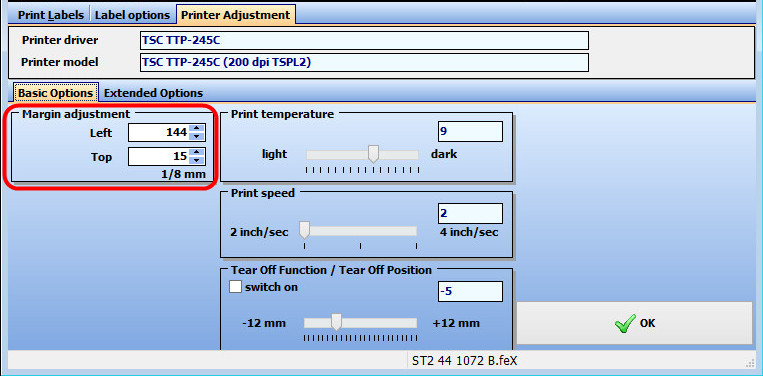
 Margin adjustment
10.09.2015
Margin adjustment10.09.2015
|
<< Click to Display Table of Contents >> Navigation: Help for self-help > Fault Cause / Troubleshooting > Software > Software settings >
|
Subject |
Content |
Remarks |
Affected Printers |
all |
|
Cause |
The settings for the print positioning is not correct. |
|
Troubleshooting |
- Please Check if the choosen layout is suitable for the installed label.
- measure the necessary offset to fit the print position and correct the settings in the software or driver |
multiplier corresponding to resolution
200 dpi -> 8 dots/mm, 300 dpi -> 12 dots/mm, 600 dpi -> 24 dots/mm |
Here an example from eXtra4/2. If the printout is e.g. 5 mm too far right, you have to reduce the value in the field Left by 60 ( 5mm * 12 dots/mm -> new value 84).
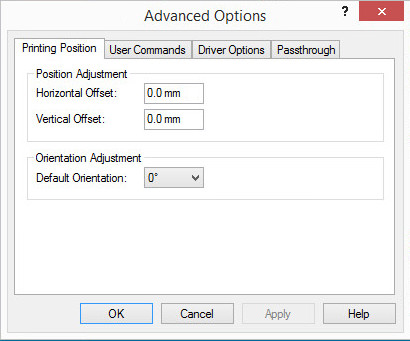
Here the settings from the Bartender driver, the values here are set without any conversion: